Dealer and distributor management
Make your channel as visible as your sales team.
Manufacturer, distributor and dealer work on the same opportunity with the same rules. Which dealer brought which customer, who the registration is waiting on, who is close to the next tier; all on one screen.
Three parties, one flow.
The whole channel on one board.
- Approve deal registrations and settle conflicts
- Compare win rates of channel and direct sales
- Reward partners with a tier program
Grow your dealer network.
- Review your dealers’ registrations first
- Request new dealers and users from the portal
- Sales, approval times and tiers per dealer
Register your customer, protect your work.
- Deal registration in the portal, with a protection period from approval
- Prepare quotes and send them as PDF or Word
- Work with several manufacturers on one account
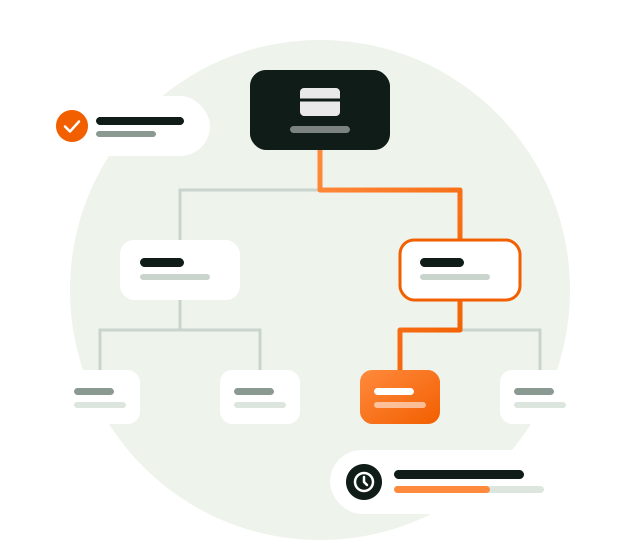
How does a deal registration move?
- Dealer registers
Company, contact and opportunity are entered in the portal and matched with existing customers automatically.
- Distributor approves
The registration is reviewed within a set number of business days.
- Manufacturer approves
Approval starts the dealer’s protection period.
- The deal moves on
The dealer is notified as stages change and when the deal closes.
Two registrations for the same customer?
When another partner registers the same customer, the owner of the first registration gets the right to respond. No decision is made before the period ends or an answer arrives, and both sides know the reasoning.
- The first partner can respond within a set period (3 business days by default)
- Distributors see and manage conflicts among their own dealers
- Reminders 7 days and 1 day before protection ends
- Extension and cancellation requests come to approval with their reasons
- Distributor and manufacturer are alerted when approval time is exceeded
Tier program
Evaluate partners on sales, profitability, collections and growth with rules you define. A dealer who moves up gets the benefits they earned automatically.
- Weighted score and must-have conditions; rule builder with AND/OR groups
- Simulation before saving: who moves up or down if a target or weight changes
- Benefits: protection period, discount limit and payment terms applied by tier
- Measurement by product group, city and country; external data via Excel or API
- “My tier” card in the dealer portal, with a forecast until the next evaluation
growth
collections
acquisition
network
What is in the partner portal?
Deal registration
Customer, contact and opportunity in one form; status and reasons always visible.
Quote management
The main app’s quote editor: templates, revisions, discounts, promotions, PDF and Word.
Task management
List, board and report; manufacturers can assign tasks to distributors.
My tier
Your current tier, your score and what you need for the next one.
Dealer dashboards
Rep performance, business volume, own and dealer sales, pending approvals.
Notifications
Approvals, rejections, stage changes and deadline reminders as they happen.
Shared dealer account
A dealer working with several manufacturers switches between them with one account.
Copy to my CRM
A dealer who also uses ZP CRM brings the deal into their own CRM in one click.
Better together.
This module works on the same customer record as the others.