Task Management
Who is doing what, and by when, at a glance.
Sales tasks, service tickets and project work in one agenda. Reminders on time, time logged, boards up to date.
Your team’s to-do list should not be scattered.
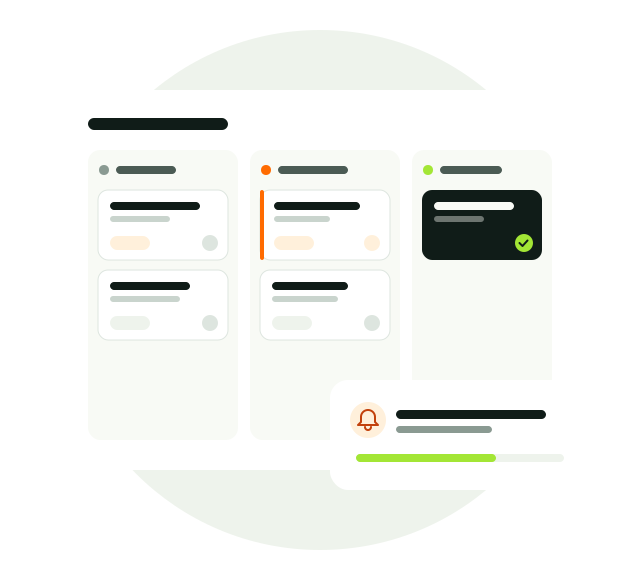
Every task is linked to a customer, opportunity, ticket or project. The My Work agenda gathers a person’s work in one list, and managers see workload and delays on the task board.
- Kanban and tableDrag and drop.
- My Work agendaOne list from every module.
- RemindersNotifications and email.
Task Management, in full.
Everything the module offers, topic by topic.
Task views
See work the way your team works.
- Kanban and table views
- Group by stage, priority, type and assignee
- Change stages by drag and drop
- Filters and saved views
Stage and priority
Every task’s status and urgency is clear.
- Not started, in progress, waiting, done and deferred
- Color-coded priorities
- Rich notes
- Dates on call, email and note activities
Reminders
No forgotten work.
- Reminder options per task
- In-app notification and email to the assignee
- Today’s agenda on the home page
- Notification center
My Work agenda
All of a person’s work in one place.
- CRM tasks, service tickets and project items in one list
- Overdue, today, upcoming and undated buckets
- Log time spent on completion
- Move a task to a project item in one click
Time tracking
Make effort visible.
- Weekly timesheet
- Sales, service and project time in one record
- Billable and non-billable time
- Capacity and utilization in the workforce report
Task board
A map of workload and delays for managers.
- Week, month, quarter and year periods
- Counts by status and distribution by person
- Expandable task list per person
- Export filtered tasks to Excel; dealer and distributor tasks
How does it work?
- Link
Open the task on a customer, opportunity, ticket or project.
- Assign
Assign a person, set priority and reminder.
- Complete
Finish from the My Work agenda and log the time.
- Track
See workload, delays and completed work on the task board.
From startup to enterprise.
The same module grows with your company.
Everyone knows what to do
In a small team, work does not get lost in chat history; every task has an owner and a date.
Connect work across departments
Work from sales, service tickets and project items in the same agenda.
Manage capacity with data
Resource decisions based on workload per person, time tracking and the workforce report.
Better together.
This module works on the same customer record as the others.